
Introduction
This short article shows how to create a new Flutter project in 3 different ways, so you can start working on your app. Here is how to do it with Visual Studio Code, Android Studio, and the command line.
I will show you three ways how to create a new Flutter project. You can do it with the IDEs Visual Studio Code or Android Studio or by using the command-line tool from the Flutter SDK. You need to have the Flutter SDK installed, otherwise non of these tips will work. To install the Flutter SDK, see the Flutter homepage.
Visual Studio Code
- Go to View ▶ Command Palette…
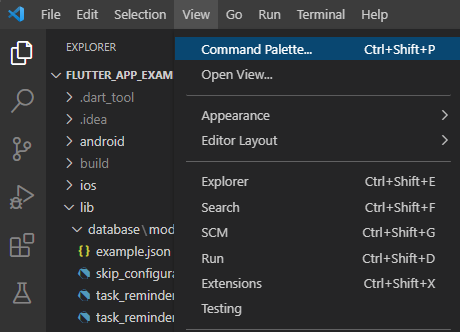
Open command palette in VSCode
- Enter or select Flutter: New Project
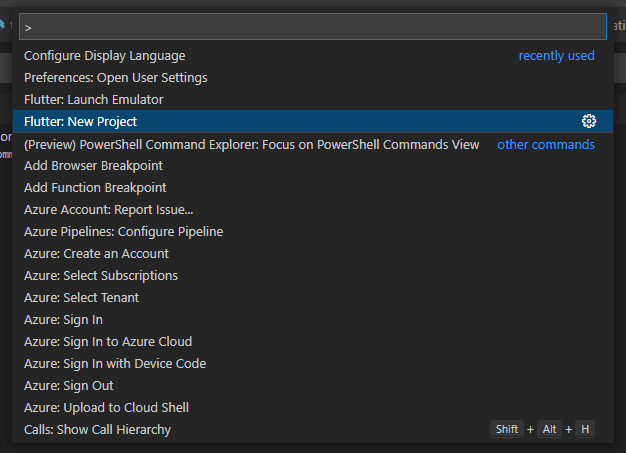
Choose command in command palette
- Select the project template Application.
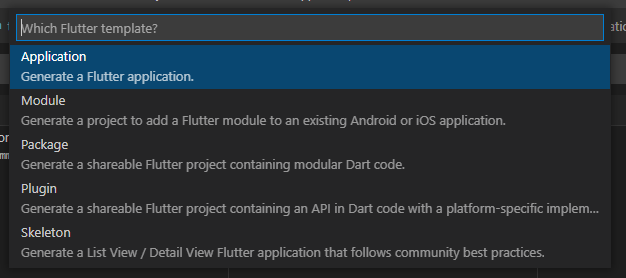
Select template for new Flutter project
- Follow the guide until the end
Your project will be created at the desired location and Visual Studio Code will open it immediately.
Android Studio
- Go to File ▶ New ▶ New Flutter Project…
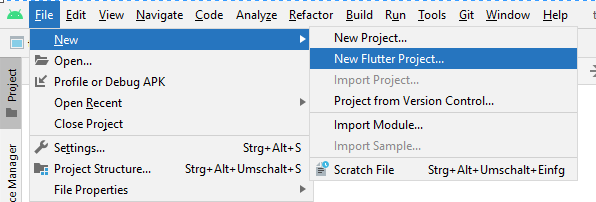
Create new Flutter project in Android Studio
- Make sure the Flutter SDK path is found and correct.
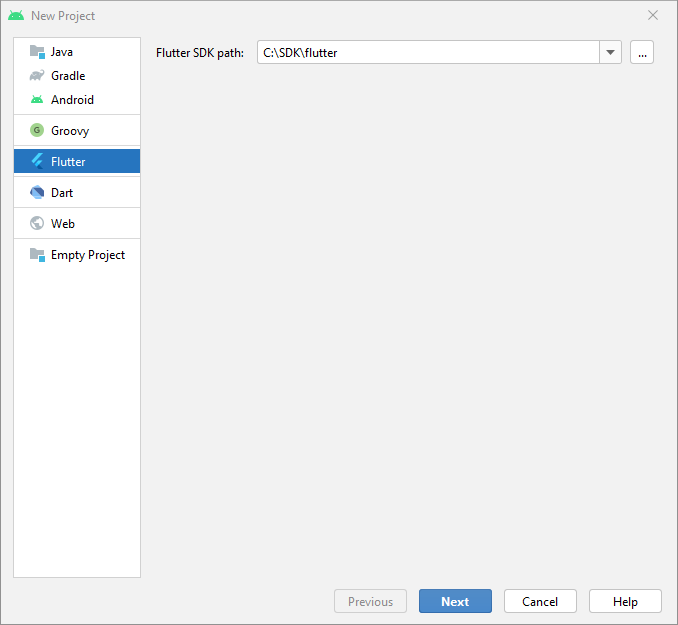
Make sure Flutter SDK install directory is found in Android Studio
- Define additional project settings and click Finish.
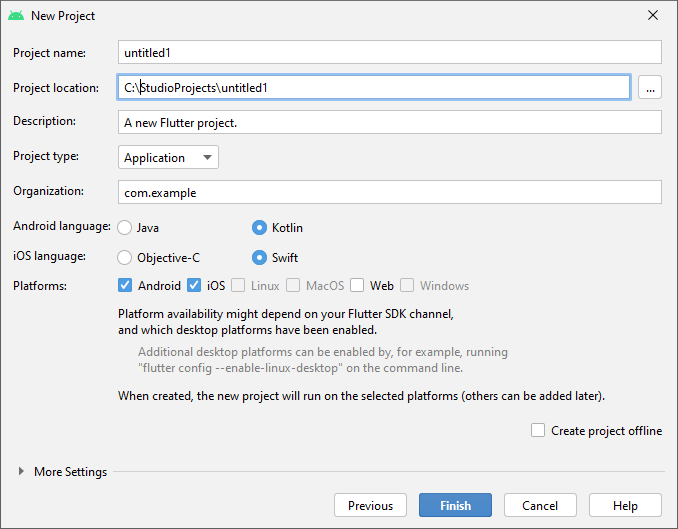
Enter project details for the new Flutter project in Android Studio
Your project will be created at the desired location and Android Studio will open it immediately.
Command-line
Open any command-line tool (like CMD on Windows)
Run the command
flutter create testproject. It will create a folder called testproject at the current location and put all the app code inside this folder.
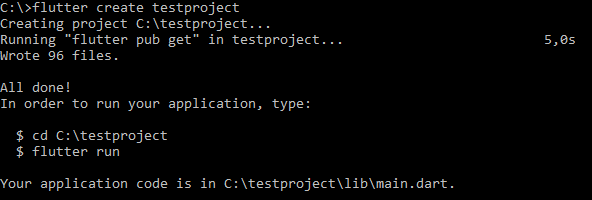
Create a new Flutter project with the Flutter command-line tool
- To customize your new project, see
flutter create --help. There are many options to set for your project. However, the default settings should be fine for most of the cases.
Conclusion
With this guide, you should be able to create new Flutter projects and start developing your apps. For more information about packages go to the official Flutter documentation.