
Introduction
Here is how you can implement the swipe-to-dismiss pattern in ListViews of a Flutter applications. It takes 5 minutes to implement it.
Swipe to delete is a common UI pattern in mobile applications. The user swipes an element in a direction and the system reacts with an action. Common use cases include removing entries from lists or making toast notifications disappear, for example.
In this short article, I will show you how to implement the pattern in a ListView of a Flutter application.
Here is the entire source code of this example:
The important part of our page is the ListView. Its items are wrapped in a Dismissible widget that handles all logic needed. Every entry needs a unique key so that it can be dismissed properly.
Here are some properties that the Dismissible widget offers:
onDismissed- what will happen when an item is dismissedconfirmDismiss- happens just beforeonDismissedoccurs. You can use it for a confirmation dialog, for example.direction- the allowed directions the user can swipe tobackground- in case you want to style the background of the swiped element
And here is a short demo of how this can look like:
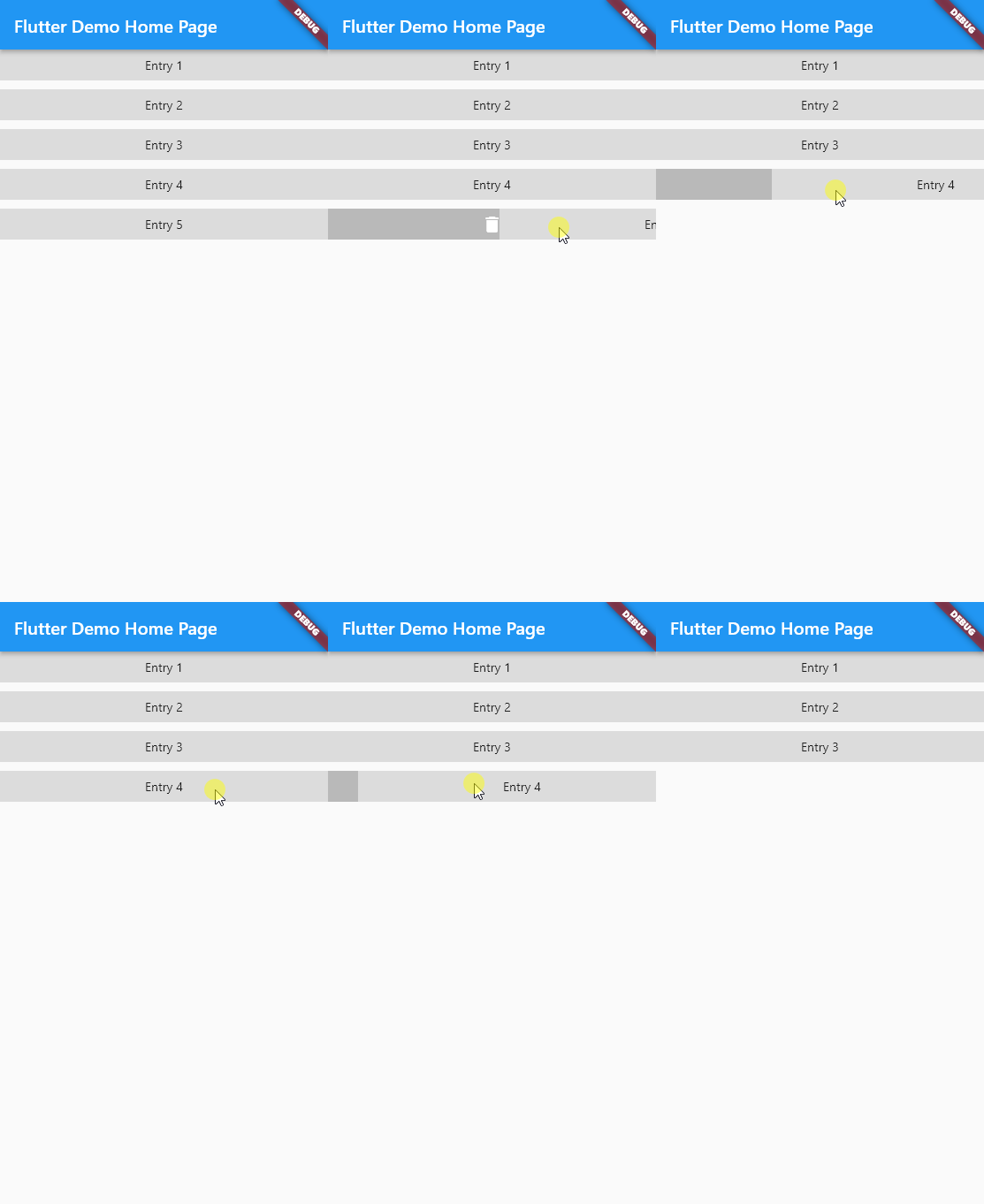
Demo application using swipe to delete in a ListView of a Flutter application
Conclusion
The swipe-to-dismiss pattern is easy to implement and one of the most basic pattern in mobile applications. With this guide, you should be able to implement it in your apps.